SBO.net - Senior Product Designer
SBO (Sports Betting Online) is an affiliate marketing platform that connects users with betting channels across a wide range of sports and events. The site features a dual review system that combines expert editorial scores from our in-house team with genuine customer ratings, helping users make informed decisions about our betting partners.
My Role
Lead Product Designer, UX, UI, Prototyping, Wireframing, User Research, Stakeholder Management
Who I worked with
CEO, Product Owners, Business Analysts, Engineers, Project Managers, Cross-Functional Leads
Overview
With the World Cup on the horizon, we needed to capitalise on one of the biggest betting events of the year - expanding opportunities for our customers, and creating a compelling sponsorship proposition for our partners looking to gain our audience.
The Problem
I led cross-functional workshops with stakeholders and the wider team, landing on a dedicated World Cup fixture calendar integrated into the site navigation. The calendar presented every game across the tournament, while giving our commercial team a new placement for partner sponsorship opportunities.
The Solution
Key Responsibilities as a Senior Product Designer
Led end-to-end design on the World Cup promotional calendar, from initial research and wireframing through to high-fidelity prototypes and user testing
Managed design handover and maintained close collaboration with the engineering team to keep delivery on track
Owned personal time and deadline planning to align with the broader project timeline
Curated and developed a new Figma-based design system for use across cross-functional product teams, enabling consistent component creation for designers and stakeholders alike
Key Considerations
Respect and align with the product's established branding and digital identity
Maintain consistent communication across CRM, Commercial, Product, and Engineering teams to keep project goals on track
Ensuring the calendar experience felt native to the existing site, rather than bolted on
Balancing commercial partner requirements with a clean, user-friendly design
Accessibility and mobile responsiveness, given our predominantly older user demographic and the need for a clearer experience
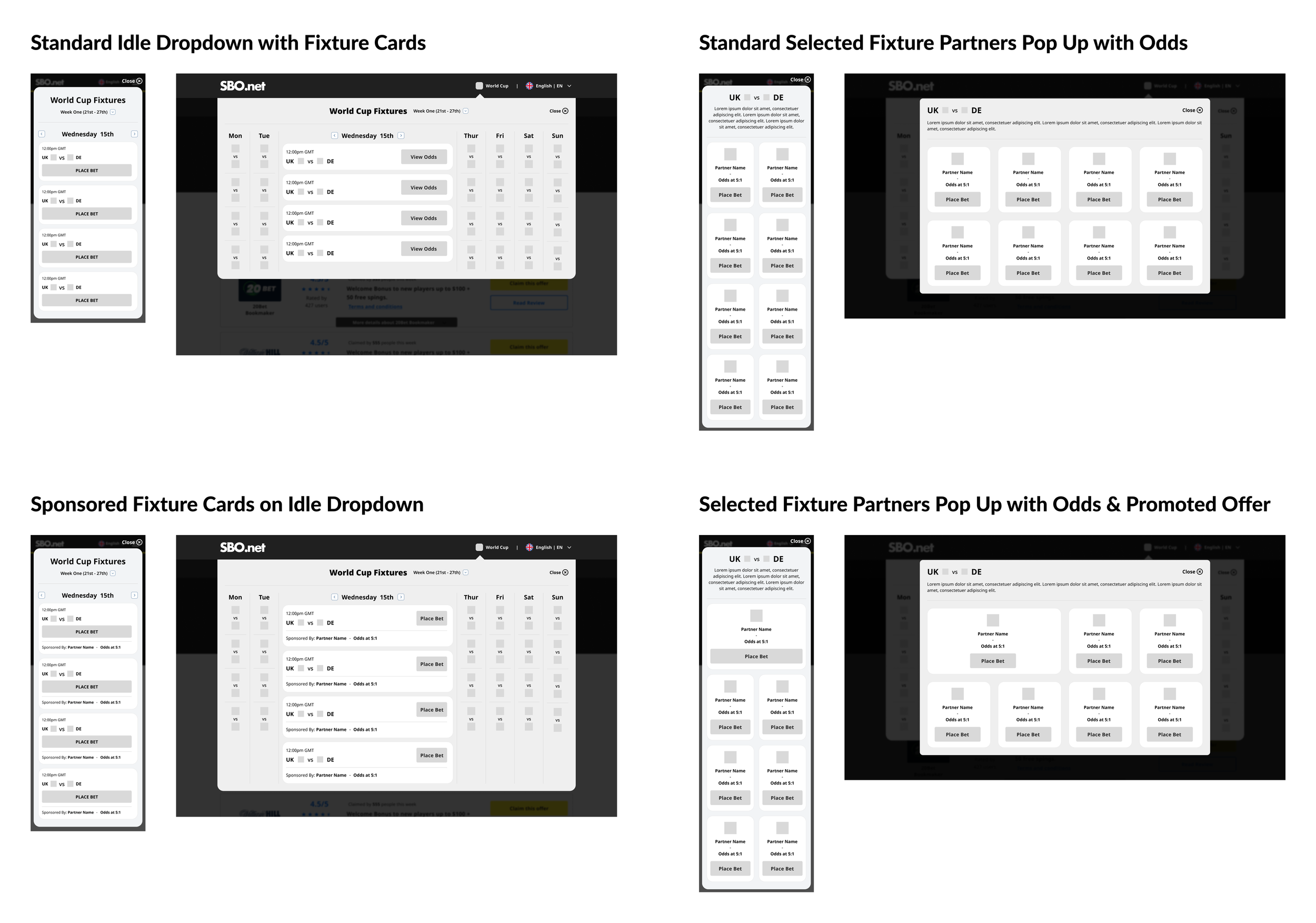
Low-Fidelity Wireframes
Wireframes were developed with user behaviour at the forefront — mapping natural reading patterns, intuitive click paths, and the onward journeys users would expect.
The resulting designs demonstrated the strength of the core concept, showcasing the range of user journeys the feature could support whilst validating the direction ahead of moving into higher fidelity.
High-Fidelity Wireframes
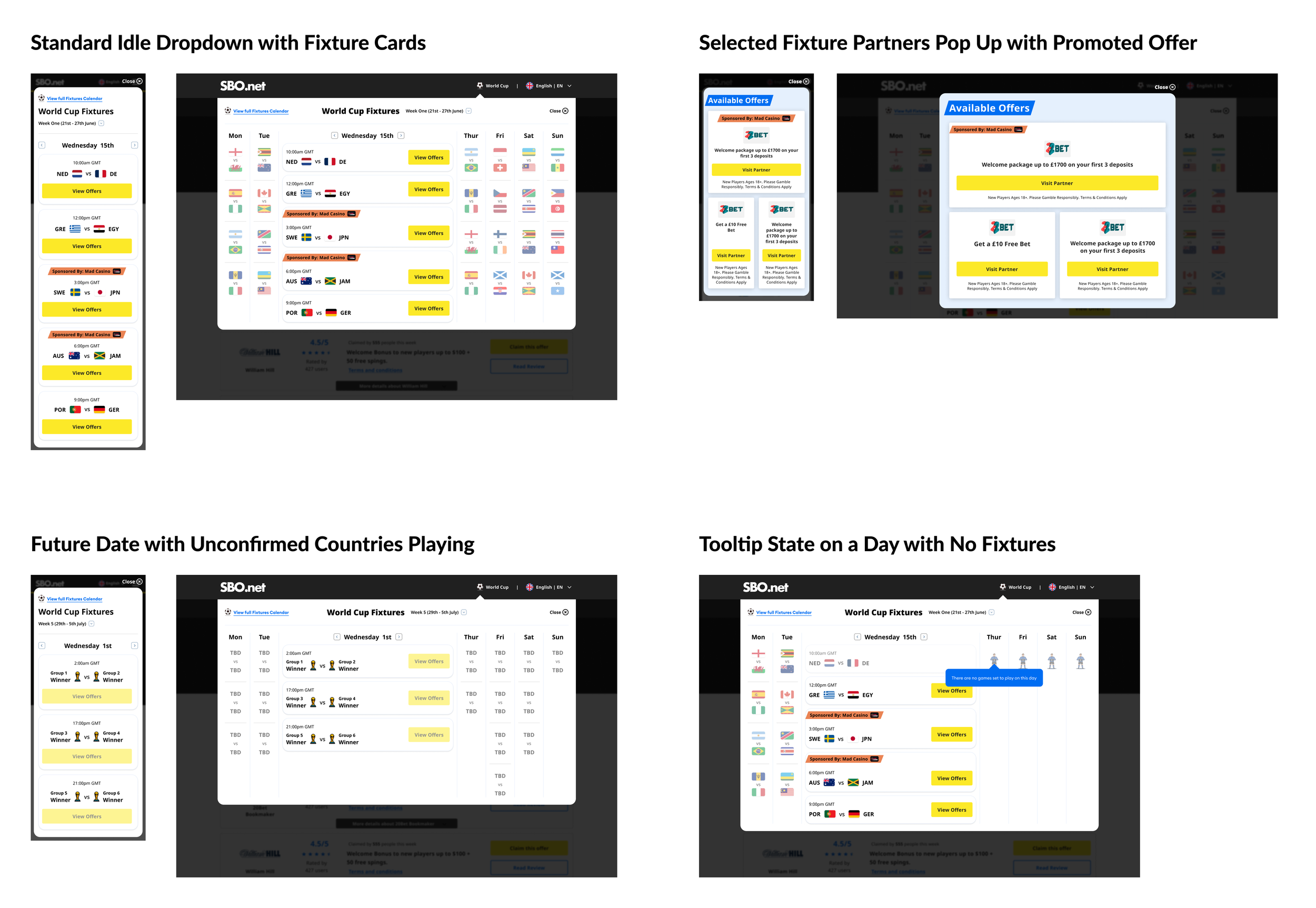
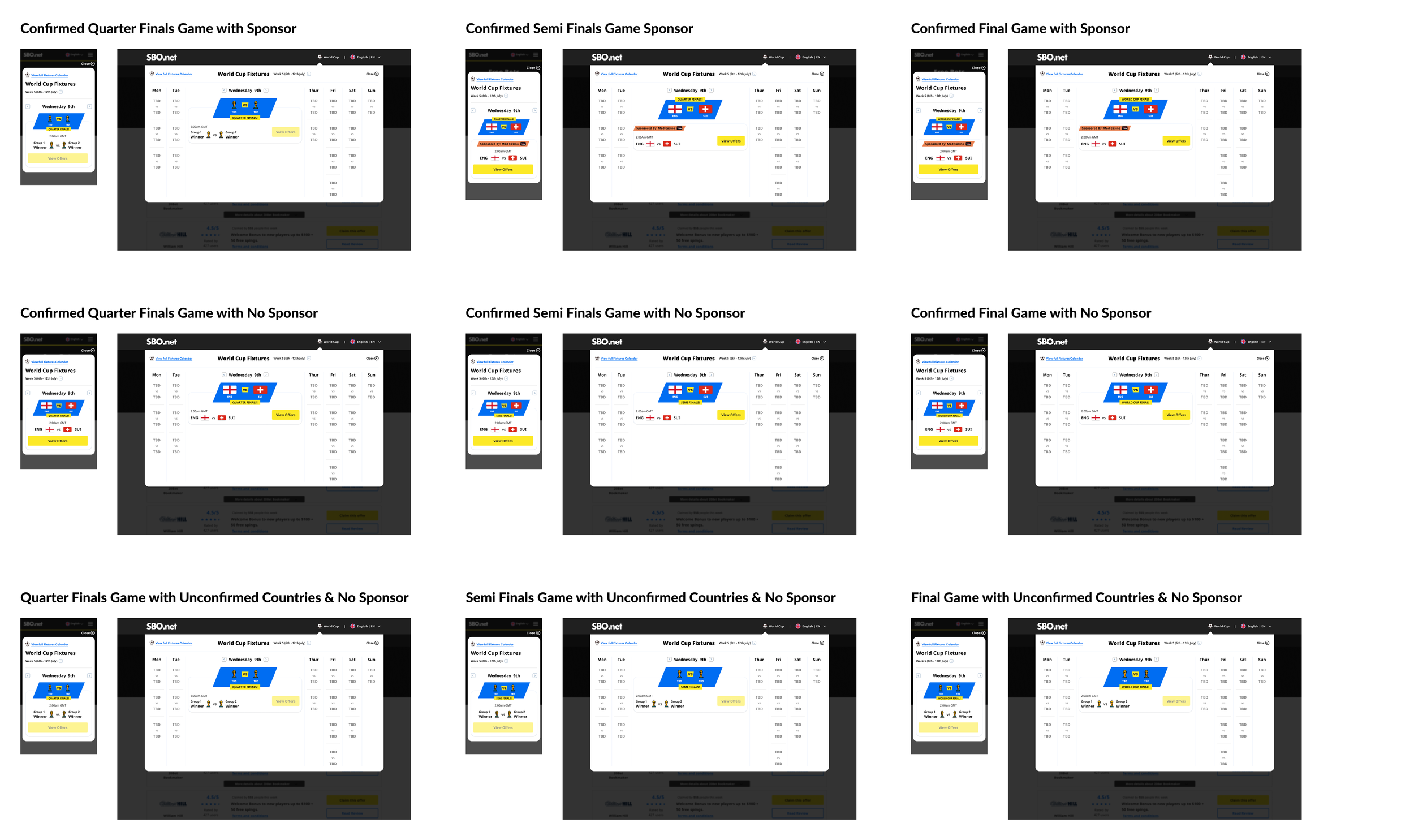
Following wireframe sign-off, guerrilla testing validated the designs before moving into high fidelity. The final designs brought the brand's blue and yellow palette to life across the fixture calendar, with country flags, promotional badges, and special UI treatments for the Quarter-Final, Semi-Final, and Final stages.
All fixture states were accounted for, and an animated football was introduced to the navigation to draw users toward the dropdown — validated through a further round of testing.
It's worth noting that the partner odds API was descoped late-stage due to timeline risk, with the team pivoting to a general CTA placement to retain the commercial opportunity.
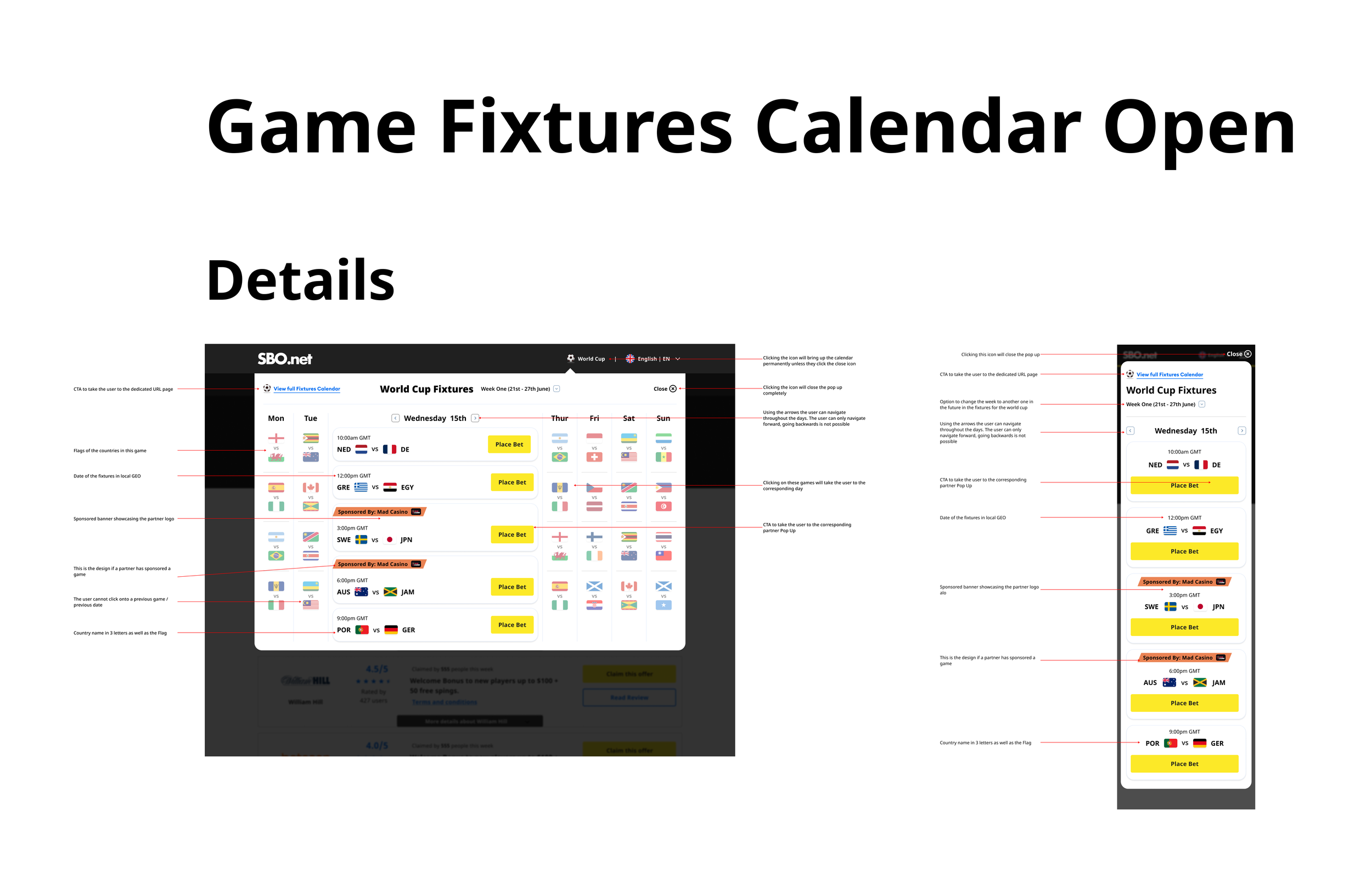
Engineering Handover
Following design sign-off across all teams, I produced a detailed handover document for engineering — shared 48 hours ahead of a dedicated walkthrough meeting, giving the team time to review and raise any questions in advance.
Throughout the build, I ran twice-weekly check-ins with Product Owners, Managers, and Stakeholders to surface and resolve blockers early, keeping everyone aligned through to delivery.
On completion, the team carried out thorough design QA and feature testing to ensure the final product met the required standard.
The Conclusion
The project launched successfully, delivering a new experience for users and opening up multiple revenue streams for the commercial team through the calendar's partner opportunities. The feature is live, has gained strong user traction, and remains a great example of cross-functional collaboration done well.
£200k+
in revenue in the first week driven by partnership promotions and customer conversions through the calendar.
Consistency
Achieved across all design files following the introduction of a structured, scalable design system.
12 Countries
Exclusive Partner Deals expanded across 12 new countries, growing the product's commercial footprint internationally.
4 Teams
Collaborated across CRM, Commercial, Product, and Engineering to deliver the project end-to-end.